
52 Week Money Challenge 2027 Printable
Save $1,378 in 2027, one weekly deposit at a time.
$1.50 $5.99
Buy on Etsy →
Budget Planners
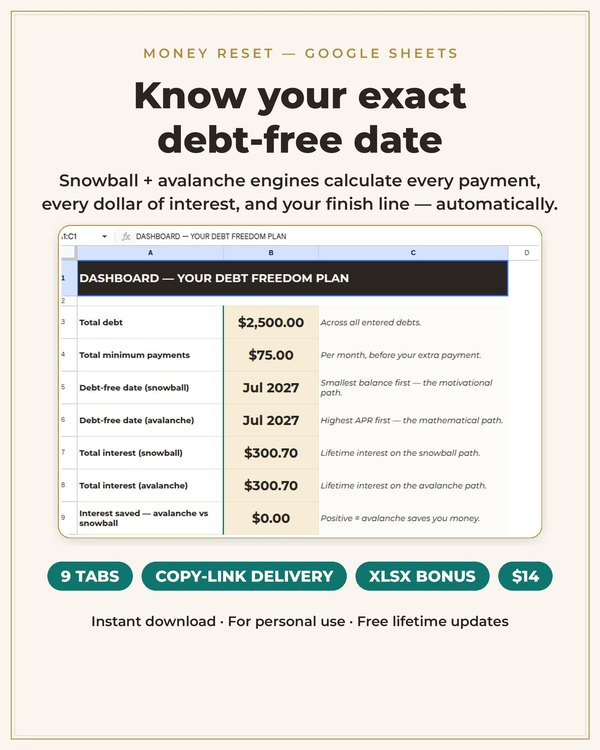
Enter every debt once and watch both payoff plans build themselves.
This is a Google Sheets workbook that builds your complete debt payoff plan two ways: the debt snowball, which targets your smallest balance first for fast motivational wins, and the debt avalanche, which targets your highest APR first because it is mathematically the cheapest. You enter every debt once, and month by month engines calculate every payment, every dollar of interest, and your exact debt free date for both strategies.
The workbook has 9 tabs: Start Here, Dashboard, Debt Inventory, Snowball Plan, Avalanche Plan, Payment Calendar, What If Scenarios, Payoff Timeline, and Settings. It works in any free Google account, and an Excel bonus file is included if you prefer desktop.
The snowball and the avalanche will both get you out of debt. They differ in what keeps you going. The snowball pays your smallest balance first, so you close out entire debts quickly and feel the wins. If you have quit payoff plans before because progress felt invisible, the snowball is probably your plan.
The avalanche pays your highest interest rate first, which means you pay the least interest over the life of the plan. If you are motivated by efficiency and the math itself keeps you going, the avalanche wins. This spreadsheet shows you both side by side, with the total interest and the debt free date for each, so you can choose with real numbers instead of guessing.
The most powerful tab is What If Scenarios. It answers the question every person in debt asks: what would an extra $100 a month actually do? The simulator shows you exactly how much interest that extra payment saves and how many months it shaves off your debt free date.
This is where payoff plans stop being abstract. Seeing that $100 a month saves you thousands in interest and a full year of payments turns a vague intention into a concrete decision. Run the simulator with your tax refund, your bonus, or the money from a canceled subscription and watch the timeline move.
The Snowball Plan and Avalanche Plan tabs are full amortization engines, not simple trackers. Each month, the formulas apply your payment to the target debt, roll freed up payments into the next target, recalculate interest on every remaining balance, and update your running totals. You see the whole plan from this month to your debt free date.
The Payment Calendar turns the plan into action. It shows what to pay each month and in what order, so payoff day is just following the sheet. The Dashboard gives you the big picture at a glance: total debt, total interest remaining, months to freedom, and progress bars for each debt.
Printable debt trackers are great for motivation, but they cannot do math. Every time your balance changes, you are recalculating by hand. A spreadsheet recalculates everything the instant you update a number: one extra payment logged, and your debt free date, total interest, and every future month update automatically.
Spreadsheets also handle the what ifs that paper cannot. Change your monthly payment by $50 and see the ripple across two years of payments in one second. That instant feedback is what turns a payoff plan from a document into a living tool you actually open.
Open the workbook in your free Google account and work through the Start Here tab, entering each debt's balance, interest rate, and minimum payment in the Debt Inventory.
Compare your Snowball Plan and Avalanche Plan side by side on the Dashboard, then run the What If Scenarios tab to see what extra payments would save you.
Follow the Payment Calendar each month, log your payments, and watch the formulas recalculate your debt free date and total interest automatically.
What buyers ask before downloading this planner.
No. It works in any free Google account. You get a copy of the workbook in your own Drive, so your numbers stay private to you. An Excel bonus file is included if you would rather work on desktop.
The Snowball Plan orders your debts smallest balance first, which closes out individual debts fastest and builds momentum. The Avalanche Plan orders them highest interest rate first, which minimizes total interest paid. Both tabs run full month by month calculations so you can compare the real numbers.
You enter an extra monthly payment amount, or a one time lump sum, and the simulator recalculates your entire plan: total interest saved and months shaved off your debt free date. It is the fastest way to see what a raise, bonus, or canceled bill is really worth.
Yes, for both strategies. The engines calculate every payment month by month until the last balance hits zero, so the date reflects your real balances, rates, and minimums, not a rough estimate.
The Debt Inventory handles a full list of credit cards, loans, medical bills, and other balances. Enter each one with its balance, APR, and minimum payment, and both engines build the plan around all of them.
No. This is an organizational and calculation tool. It shows you the math of your payoff options but does not advise which debts to pay or whether to take on new ones. For personalized guidance, talk to a qualified financial professional.
Planners from the same collection, built to work together.
Save $1,378 in 2027, one weekly deposit at a time.

Turn saving into a game you'll actually finish.
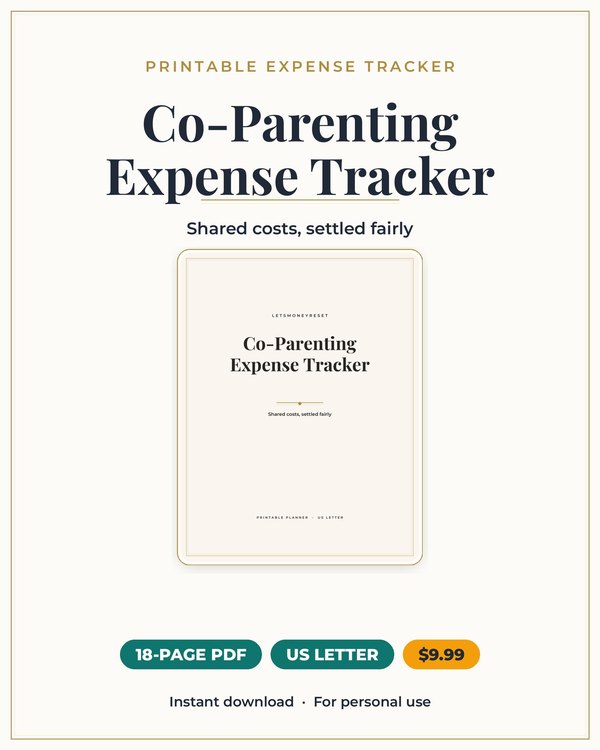
Split kid costs cleanly, with a record you can both trust.
Join the list and get the free monthly budget worksheet plus first word on new planners.
No spam, ever. Unsubscribe anytime.